Age Difference Calculator
Related Calculator
- Decimal Age Calculator
- Space Age Calculator
- Age Calculator by Date of Birth
- Half Birthday Calculator
Age Difference Calculator – Calculate Exact Age Gap Instantly with Detailed Results
An Age Difference Calculator is a simple yet powerful online tool that helps you calculate the exact age gap between two people. It can compare ages using:
- Current ages
- Birth years
- Full dates of birth
Instead of manually subtracting numbers or calculating date differences, this tool gives you instant and detailed results — including years, months, days, total weeks, and total days.
In this detailed guide, you’ll learn how it works, formulas used, examples, benefits, and practical use cases.
What Is an Age Difference Calculator?
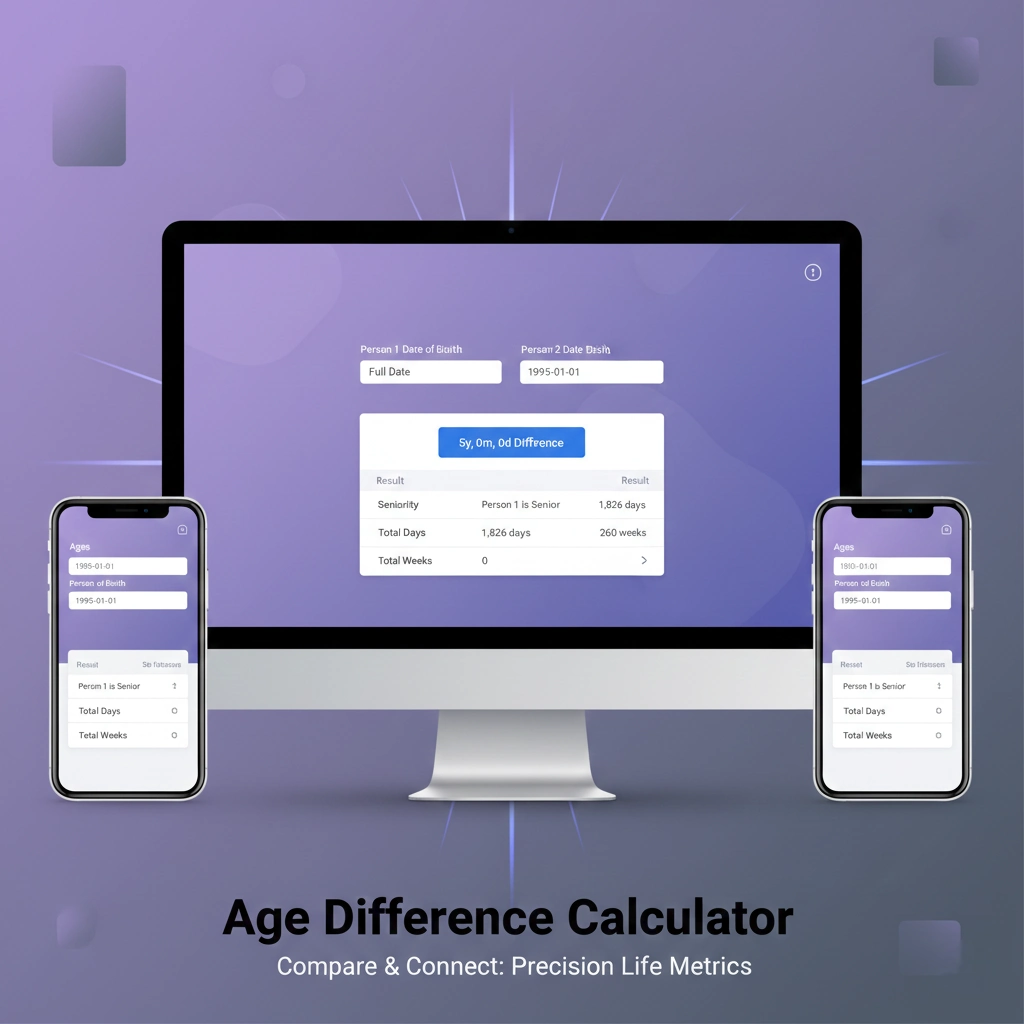
The Age Difference Calculator (Age Comparison Calculator) helps you quickly calculate the exact age gap between two people. Simply enter ages, birth years, or full dates of birth to see the difference in years, months, and days, along with seniority details.
An Age Difference Calculator calculates the time gap between two individuals. It tells you:
- Who is older (seniority)
- The difference in years
- The difference in months and days
- Total days and weeks between two birth dates
It is useful for:
- Couples
- Siblings
- Friends
- Parents & children
- Historical comparisons
- School age analysis
Key Features of the Age Difference Calculator
This calculator is unique because it offers three distinct modes of operation, allowing for varying levels of input precision:
1. Age-to-Age Comparison
The quickest way to get a result. By simply entering the current age of two people, the tool instantly calculates the year-based gap and identifies who is the senior individual.
2. Birth Year Analysis
Useful when you don't know the exact birthday but know the year. This mode calculates the "chronological gap" based on birth years, which is often used for historical or genealogical research.
3. Full Date Precision
For the highest level of accuracy, the Full Date mode allows users to input specific dates of birth. The tool then calculates the difference down to the exact number of years, months, and days.
How to Use the Age Difference Calculator
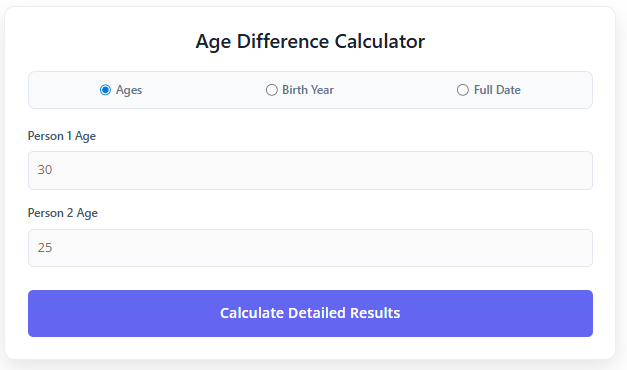
The interface is designed for simplicity across both desktop and mobile devices:
- Select Your Mode: At the top of the card, choose between Ages, Birth Year, or Full Date.
- Input Data:
- Ages: Enter a number (e.g., 30 and 25).
- Birth Year: Enter four-digit years (e.g., 1990 and 1995).
- Full Date: Use the calendar picker to select specific birth dates.
- Calculate: Click the "Calculate Detailed Results" button.
- View Analysis: A "Comparison Analysis" box will appear, highlighting the specific difference and providing a breakdown of seniority and time metrics.
The Age Difference Calculator utilizes three distinct mathematical approaches depending on the input mode selected:
1. Simple Age Formula
When comparing two current ages, the tool uses an absolute difference formula to determine the gap in years:
$$Difference = |Age_1 - Age_2|$$
- Seniority Logic: The tool compares the numerical values; if $Age_1 > Age_2$, Person 1 is identified as the senior.
2. Birth Year Formula
For users providing only the year of birth, the calculation identifies the chronological gap:
$$Gap = |Year_1 - Year_2|$$
- Seniority Logic: Because a lower birth year indicates an earlier arrival, if $Year_1 < Year_2$, Person 1 is identified as the senior.
3. High-Precision Date Formula
When the "Full Date" mode is used, the calculator employs a more complex time-conversion formula:
- Total Day Count: The tool calculates the difference in milliseconds between the two dates and converts it to days:$$Total Days = \lfloor \frac{|Date_1 - Date_2|}{1000 \times 60 \times 60 \times 24} \rfloor$$
- Leap Year Adjustment: To provide a breakdown of years, months, and days, the calculator uses an average year length of 365.25 days to account for leap years.
- Monthly Average: It uses a standard of 30.44 days per month to estimate the monthly difference.
Comparison Example
If Person 1 was born on January 1, 1990, and Person 2 was born on January 1, 1995:
- Highlight Box: Displays "5y, 0m, 0d Difference".
- Total Days: Shows approximately 1,826 days.
- Total Weeks: Displays 260 weeks.
Frequently Asked Questions (FAQs)
Can I use this for historical figures?
Yes. As long as the dates are within the range supported by your browser's date picker, you can calculate the age gap between any two historical figures or events.
Is the "Seniority" calculated based on the date?
Yes. In chronological terms, the person with the earlier birth date (the smaller year or date) is identified as the senior.
Final Thoughts
An Age Difference Calculator is a practical and easy-to-use tool that quickly calculates the age gap between two individuals. With multiple input options — ages, birth years, and full dates — it provides flexibility and accuracy.
From simple year gaps to detailed breakdowns in days and weeks, this calculator eliminates manual errors and saves time.